Computer version
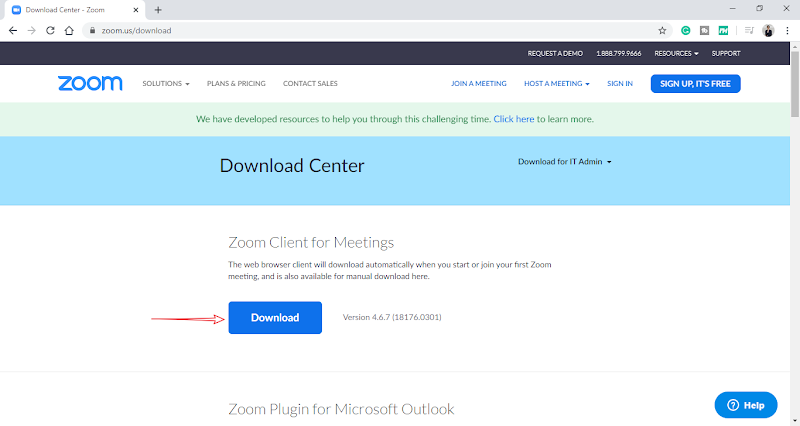
1. Visit this website:
https://zoom.us/download
.
2. Click【Download】to start downloading the Zoom installation system.
3. Click【ZoomInstaller.exe】to start installing Zoom.
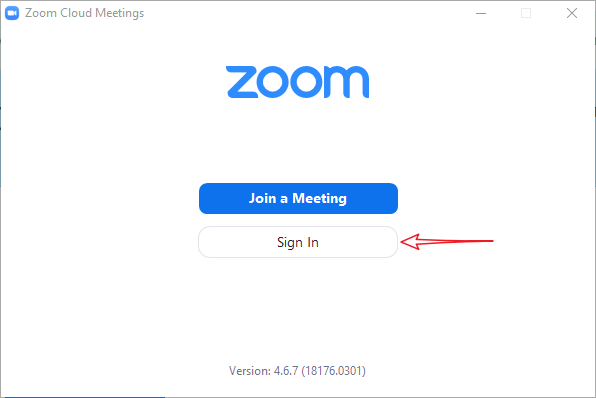
4. After the installation is complete, click 【Sign In】.
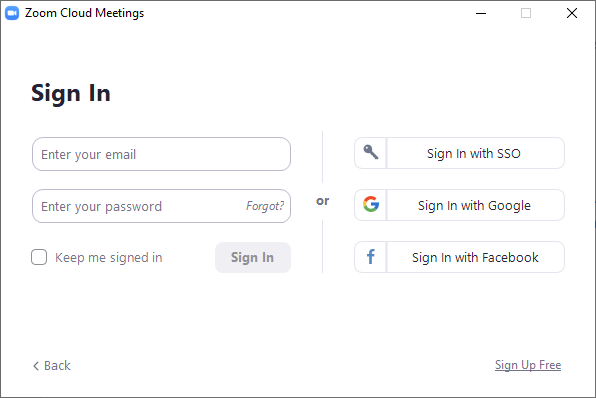
5. Click【Sign In with Google】,【Sign In with Facebook】or【Sign Up Free】to register an account.
6. If you already have an account, you can log in to Zoom directly.
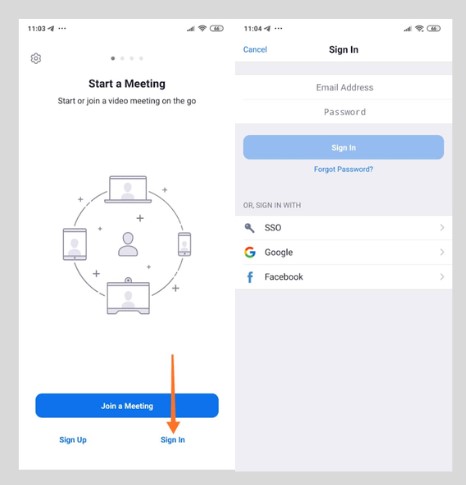
Phone / Tablet version
1. Visit the following website to download and install Zoom.
Android :
https://play.google.com/store/apps/details?id=us.zoom.videomeetings
iOS system :
https://apps.apple.com/us/app/zoom-cloud-meetings/id546505307
4>
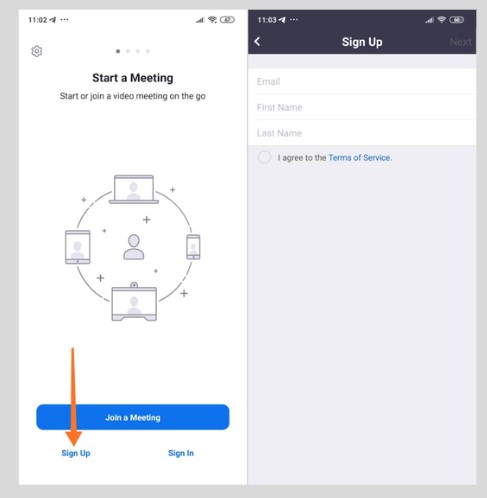
2. Click【Sign Up】to register an account.
3. If you already have an account or register an account with Facebook/Google, Click【Sign In】to log in to Zoom.
游泳课程优惠介绍 【免费送出3节游泳课】